
 11
11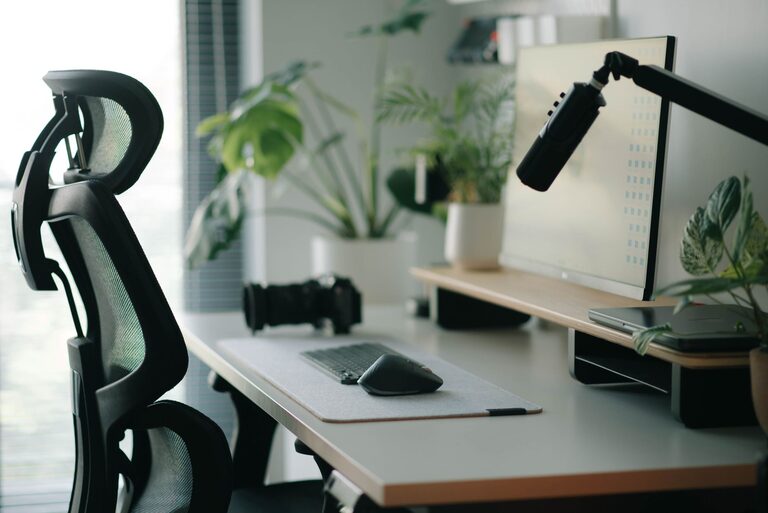
Creating a desk setup that promotes both focus and comfort can make a significant difference in your productivity and overall well-being during work hours. Whether you work from home, at an office, or in a shared space, having an organized and ergonomic workspace helps reduce distractions, fatigue, and discomfort. In this post, we’ll explore practical tips to optimize your desk setup for better concentration and physical comfort.
Your desk and chair are the foundation of your workspace. Investing time to pick the right pieces is essential for comfort and posture.
– Ideally, your desk should allow your arms to rest comfortably at a 90-degree angle when typing or writing.
– A standard desk height is about 28-30 inches, but adjust if possible to fit your height.
– Ensure the desk surface is spacious enough to hold your computer, keyboard, and any essential materials without feeling cluttered.
– Select a chair that supports your lower back and encourages good posture.
– Adjustable height and armrests help customize the chair to your body.
– A chair with breathable fabric and adequate padding can improve comfort during long hours.
Screen placement greatly impacts your neck and eye strain, which in turn affects your ability to focus.
– Place your monitor directly in front of you, about an arm’s length away.
– The top of the screen should be at or just below eye level to avoid tilting your head.
– If using a laptop, consider a laptop stand and an external keyboard and mouse to achieve proper height and distance.
Proper lighting can reduce eye strain and improve alertness throughout the day.
– Use natural light when possible by positioning your desk near a window.
– Avoid glare on your screen by placing lights and windows to the side, not directly behind or in front of your monitor.
– Use a desk lamp with adjustable brightness and direction for focused tasks, especially in the evening.
Minimize distractions caused by constant reaching for items by organizing your desk efficiently.
– Store frequently used items like pens, notebooks, or your phone within arm’s reach.
– Use desk organizers or trays to keep things tidy.
– Maintain a clean surface by regularly decluttering and removing unnecessary items.
Tangled or visible cables can cause discomfort and clutter, affecting your focus.
– Use cable management tools such as clips, sleeves, or under-desk trays to keep cords neat.
– Label cables if you have multiple devices to avoid confusion.
– Consider wireless peripherals to reduce cable clutter.
Adding small comforts can improve your mood and endurance through the workday.
– Use a supportive footrest if your feet don’t comfortably touch the floor.
– Add a wrist rest for your keyboard and mouse to prevent strain.
– Keep a water bottle nearby to stay hydrated.
– Include a small plant or personal photo to create a pleasant environment.
Even the best desk setup can’t replace the benefits of regular breaks.
– Follow the 20-20-20 rule: every 20 minutes, look at something 20 feet away for 20 seconds.
– Stand up or stretch every hour to reduce stiffness.
– Consider a sit-stand desk or adjustable desk converter for alternating positions.
Good posture helps reduce fatigue and physical discomfort.
– Sit with your back straight and shoulders relaxed.
– Keep your hips as far back in the chair as possible.
– Avoid crossing your legs; keep your feet flat on the floor or on a footrest.
– Align your wrists with your forearms when typing.
A well-designed desk setup balances comfort, organization, and ergonomics, all of which are key to maintaining focus and minimizing physical strain. Start by choosing the right furniture, position your monitor thoughtfully, and manage your workspace to reduce distractions. Add personal touches and remember to move regularly to keep your body healthy and your mind sharp. With these tips, your desk can become a place where you enjoy working and achieve your best results.